
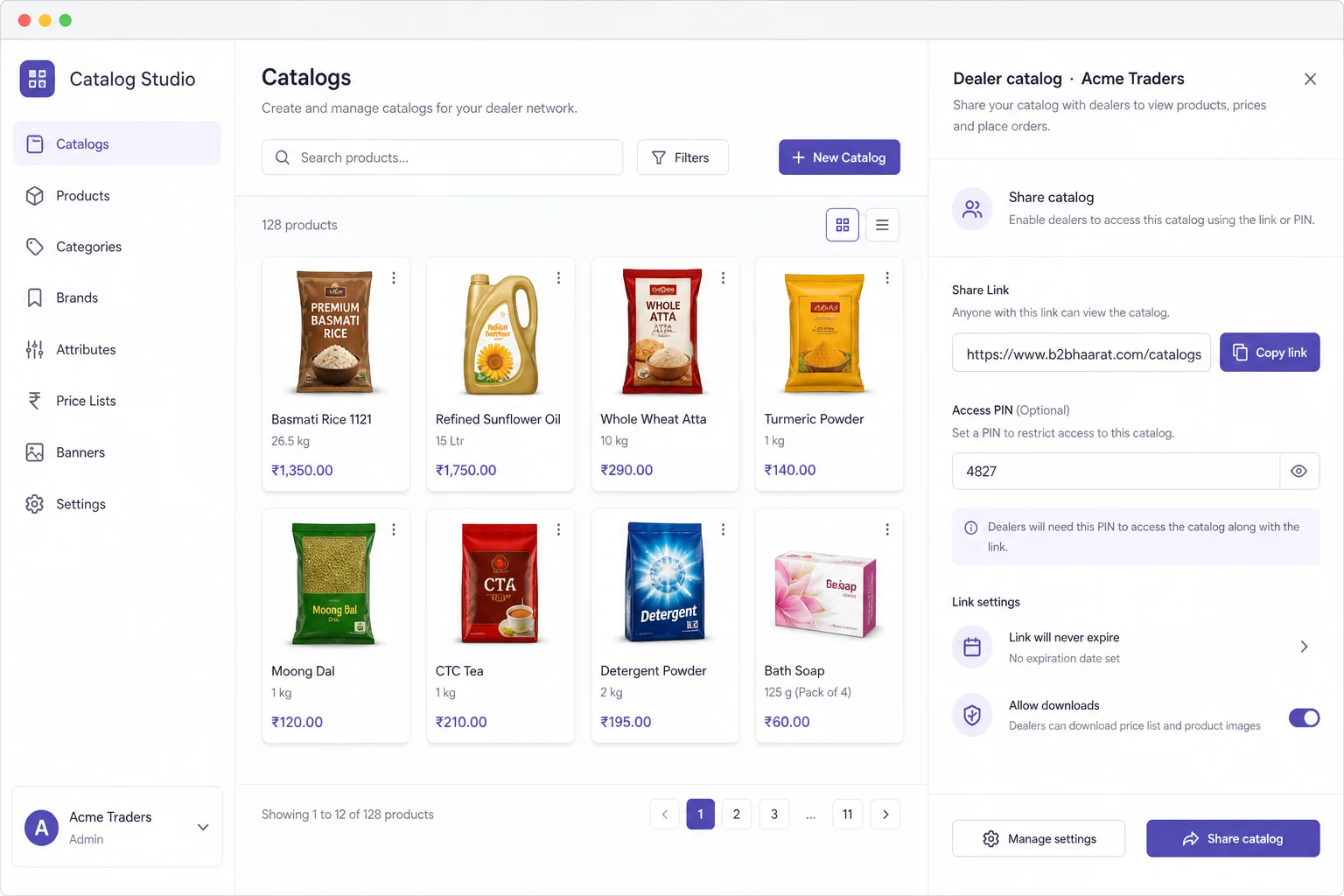
Per-customer catalogs
Build a catalog for each buyer — products, SKUs, and prices they are authorised to see.

What you get
Master → scope → generate → share → close — one interactive path. Click any step to see how Catalog Studio runs it.
01 / 05 · Product master
Every catalog starts from the product master — not a stale spreadsheet.
Catalog Studio pulls images, dealer prices, descriptions, and tax fields from your B2Bhaarat product master so PDFs and links stay current when prices change.
Two catalog modes
Print-ready PDFs for the counter and WhatsApp. Live links for follow-up, chat, and confirmation. Both stay aligned with dealer pricing in B2Bhaarat.
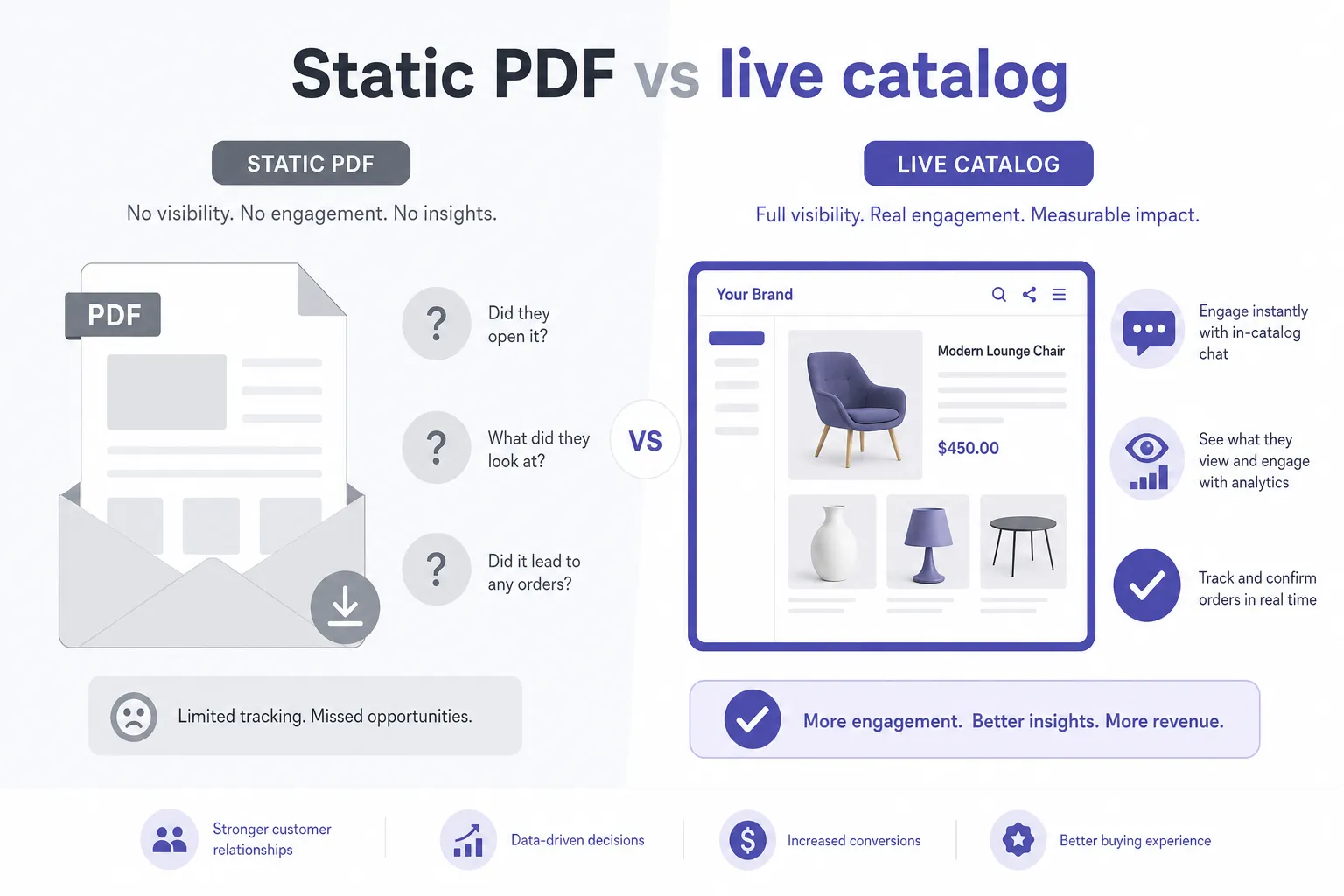
Build a catalog for each buyer — products, SKUs, and prices they are authorised to see.
PIN-protect a private dealer link, or publish an open collection page anyone with the URL can browse.
Buyers message your rep from inside the catalog. Context stays with the products they are viewing.
Buyers request a different rate or quantity on a line. Accept, counter, or approve — logged on the catalog, not lost in WhatsApp.
When terms are agreed, the buyer confirms from the catalog. The order lands in your B2Bhaarat pipeline.
See who opened the link, when, how long they spent, and which products drew attention — before the follow-up call.
Live deal room
Collection pages, password links, and visitor analytics keep the conversation on the catalog — not scattered across personal chats.
PDF templates
All templates pull from your product master and apply brand automatically.
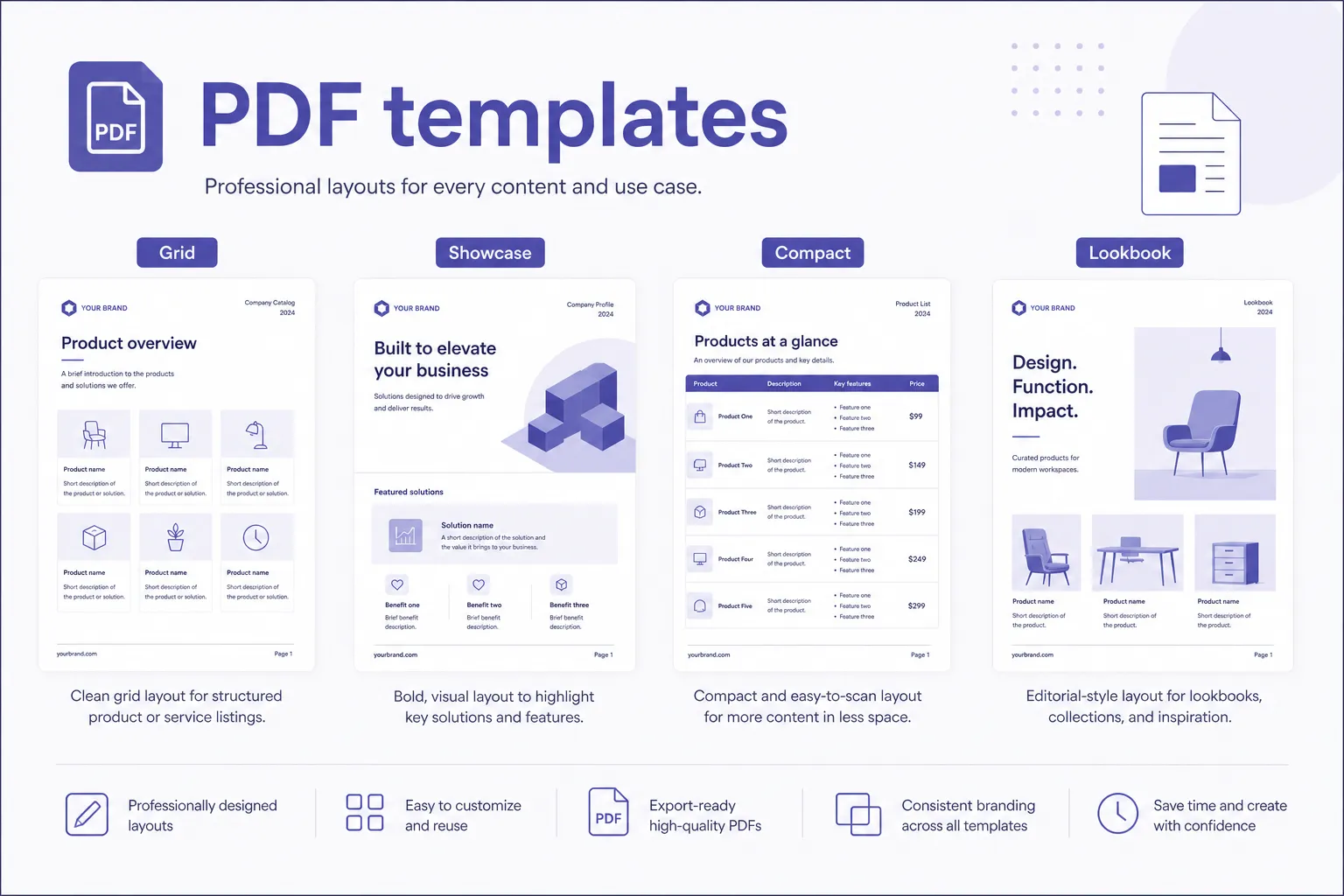
A 2×2 product grid — the go-to layout for showing a broad range without overwhelming the buyer.
Large image with full product details alongside. Built for premium categories where presentation carries the sale.
Trade-style price list with all SKUs in a condensed table — the format distributors and stockists prefer.
Hero image takes the spread, with thumbnails and product call-outs. For brands where the visual is the product.
The usual way
Most Indian B2B teams still sell from static PDFs and chat — Catalog Studio closes these three gaps.
You cannot see if the buyer opened it or what they looked at — until you chase them on WhatsApp days later.
Price and quantity agreements get buried. When the order arrives, nobody agrees on what was confirmed.
Every rate update triggers export and forward cycles — buyers often work from outdated files.
After go-live
Not another walkthrough of the same five steps — the operational shift when catalogs stop living as silent PDFs.
Each dealer gets their authorised range and price list — not one generic book for everyone.
Logo and colours apply to PDF and digital shares automatically — no separate design cycle.
See who opened the link and which products drew attention before you follow up.
Agreed terms stay on the session. Confirmed digital deals land in your pipeline — no retyping.
Who it is for
FAQ
Get started
Book a 20-minute demo — we will walk through PDF generation, digital sharing, chat, and how confirmed catalogs become orders.